What it is
A small model file that plugs into a large model and changes only how it understands one character, product or style. The large model itself is never retrained.
 LoRA AI
Your character. Your style. Your next idea.
Give AI a memory card: upload photos of one character, product or art style, train a model that is yours alone, then generate images and videos with it. Everything runs in your browser. No downloads, no GPU.
Quick answer: Prepare a compatible dataset, sign in and review the credit cost to submit image or video LoRA training. Use the paired generator after training; LoRAs from different base models are not interchangeable.
New here? Start with this
A base model has seen hundreds of millions of images, but never you, your product or your art style. A LoRA is like a memory card for it: a few to a few dozen images teach it one thing, and from then on your trigger word in a prompt brings that thing back.
A small model file that plugs into a large model and changes only how it understands one character, product or style. The large model itself is never retrained.
Training on your own computer usually takes a GPU with 16–24 GB of VRAM plus Python, training scripts and ComfyUI. On LoRA AI, uploading, training and generating all happen in your browser. No GPU, nothing to install.
Upload 4–30 images of one subject → click Train → put the trigger word in a prompt to create new images or videos.
Fixed credits per training run on LoRA AI. The exact cost is shown again before you submit.
| Model | One run | Best for |
|---|---|---|
| Krea 2 | 100 credits | Your first try; trains from a single image |
| FLUX.1 / Qwen Image | 167 credits | Characters, products and styles |
| Z-Image Turbo | 209 credits | Fast image generation |
| LTX-2 19B | 584 credits | Prompt only, 720p, 5–20 seconds |
| Wan 2.2 I2V | 1,667 credits | Starts from an image, 480p, 5 or 8 seconds |
| FLUX.2 Dev | 2,134 credits | 10 or more source images |
The $29.90 Starter monthly plan includes 1,000 credits: enough to train one Krea 2 LoRA and generate 90 images with it.
Images and videos generated with LoRA AI Image and LoRA AI Video. Click one to use its prompt.
These original images were AI-generated as concept references. They are not LoRA AI training outputs, before/after comparisons or evidence of model performance.
Image and video LoRAs train in the cloud: Krea 2, FLUX, Qwen Image, Z-Image and FLUX.2 for images, Wan 2.2 and LTX-2 for video. Generate with your trained model right here when it finishes; MOSS and Anima also generate directly. Credits are shown before you submit.
Each model needs compatible LoRA weights; adapters are not interchangeable. Resolution options and credit costs appear in the generation workspace.
Costs and limits below follow the application configuration. Integration describes the code, not verified provider uptime or a successful live training run.
| Model | Integration | Cloud input limits | Credits and settings | Output and compatibility |
|---|---|---|---|---|
| Krea 2 | Integrated | 1–30 JPEG, PNG or WebP images with captions and a trigger phrase. Up to 15 MiB per image; 25 MiB total. | Training: 100 credits / task. Generation: 10 credits / image. Fixed training steps: 100. | LoRA weights after success; use the paired Krea 2 generator. Compatibility with other base models is not implied. |
| FLUX.1 Dev | Integrated | 4–30 JPEG, PNG or WebP images with captions and a trigger phrase. Up to 15 MiB per image; 25 MiB total. | Training: 167 credits / task. Generation: 10 credits / image. Fixed training steps: 500. | LoRA weights after success; use the paired FLUX.1 Dev generator. Compatibility with other base models is not implied. |
| FLUX.2 Dev | Integrated | 10–30 JPEG, PNG or WebP images with captions and a trigger phrase. Up to 15 MiB per image; 25 MiB total. | Training: 2134 credits / task. Generation: 14 credits / image. Fixed training steps: 1000. | LoRA weights after success; use the paired FLUX.2 Dev generator. Compatibility with other base models is not implied. |
| Qwen Image 2512 | Integrated | 4–30 JPEG, PNG or WebP images with captions and a trigger phrase. Up to 15 MiB per image; 25 MiB total. | Training: 167 credits / task. Generation: 10 credits / image. Fixed training steps: 500. | LoRA weights after success; use the paired Qwen Image 2512 generator. Compatibility with other base models is not implied. |
| Z-Image Turbo | Integrated | 4–30 JPEG, PNG or WebP images with captions and a trigger phrase. Up to 15 MiB per image; 25 MiB total. | Training: 209 credits / task. Generation: 10 credits / image. Fixed training steps: 500. | LoRA weights after success; use the paired Z-Image Turbo generator. Compatibility with other base models is not implied. |
| Wan 2.2 | Integrated | 3–10 MP4 clips with a trigger phrase. Up to 8 MiB per clip; 24 MiB total. | Training: 1667 credits / task. Generation: 67 credits / 5-second video. Fixed training steps: 100. | LoRA weights after success; use the paired Wan 2.2 generator. Compatibility with other base models is not implied. |
| LTX-2 19B | Integrated | 3–10 MP4 clips with a trigger phrase. Up to 8 MiB per clip; 24 MiB total. | Training: 584 credits / task. Generation: 34 credits / 5-second video. Fixed training steps: 500. | LoRA weights after success; use the paired LTX-2 19B generator. Compatibility with other base models is not implied. |
Online training requires an account, enough credits and a dataset that meets the selected model requirements. You do not need to install training software or configure services on your computer.
Cloud training sends your selected media and captions to the provider. Image and video dataset limits differ. Confirm account readiness before submitting.
A focused workflow
Organize training images around a character, visual style or product. Align your dataset, captions, base model and test prompts. Review the material, submit Krea 2 training, then test different scenes and compositions in Generate.
Characters, styles and products need different source material. Use Krea 2 for cloud training and each model’s compatible adapters for MOSS or Anima generation.
Review dimensions and repeated images. Keep useful changes in angle, lighting and background, and check upload limits before submitting cloud training.
Describe changing outfits, poses and backgrounds while keeping the intended character or product concept clear. Check the trigger word before training.
Check results in My LoRAs and generate images with completed weights. Keep prompts and settings for comparing new scenes, alongside an exported dataset draft.
Ideas worth teaching
Explore three ways to define a training concept. Each reference links to a dedicated workflow, with dataset advice and evaluation prompts.

Use this coastal illustration as a visual-language reference. A style dataset should vary the subject while keeping its materials, colors and mark-making coherent.
Caption exampleA coastal village in ohwx_style, gouache texture, warm flat colors and fine ink contours.
Explore style LoRA training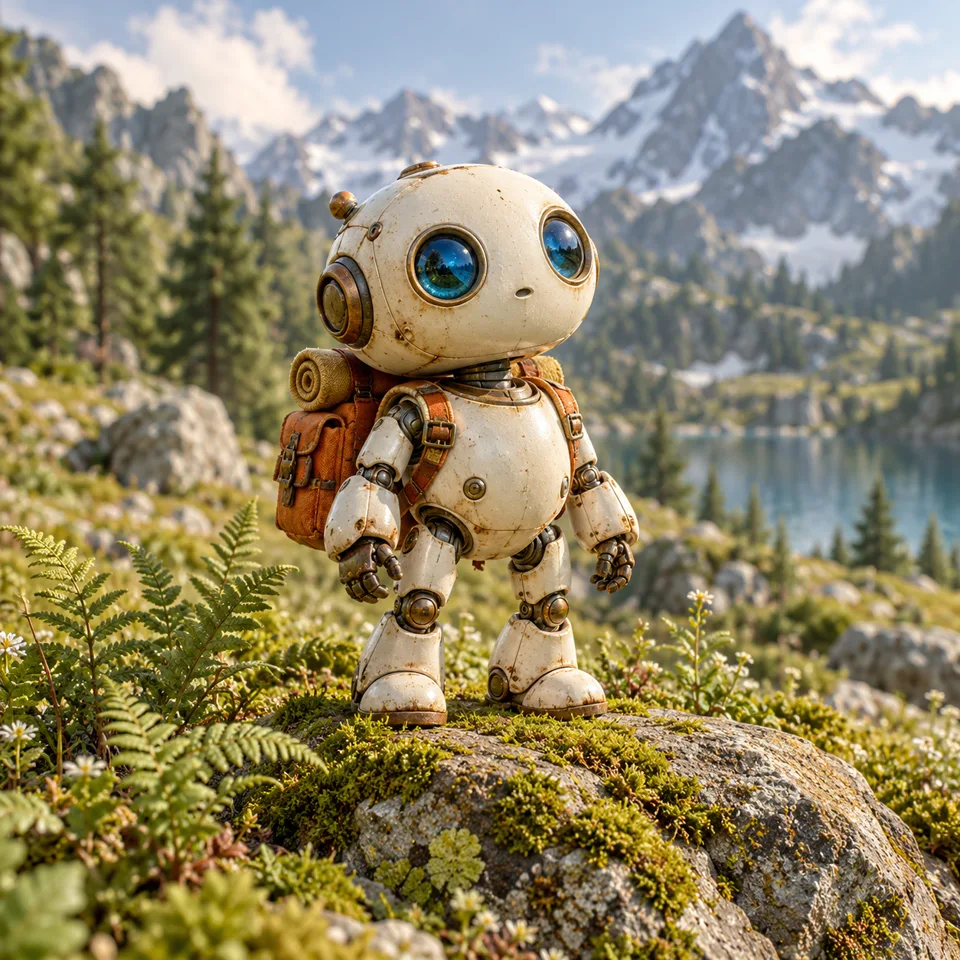
An original ceramic explorer gives a dataset a clear identity. Vary the angle, pose and surroundings instead of repeating one composition.
Caption exampleohwx_robot, a ceramic explorer with blue glass eyes, standing beside an alpine lake in daylight.
Explore character LoRA training
A blank amber bottle makes shape and materials easy to discuss. Include alternate views of its glass body and cap rather than teaching a single background.
Caption exampleohwx_bottle, an amber glass bottle with a round walnut cap, on a travertine surface in window light.
Explore product LoRA trainingThese original images were AI-generated as concept references. They are not LoRA AI training outputs, before/after comparisons or evidence of model performance.
From intent to evaluation
Prepare the image or video dataset required by the selected model, review its trigger and captions, then submit training. Use the completed weights with their matching generator.
Decide whether you want a recognizable character, a transferable style, a distinctive product or a specific motion.
Read the noteKeep the intended concept consistent while varying details you do not want the model to memorize.
Read the noteInspect file dimensions, edit each caption and export the local configuration before leaving the workspace.
Read the noteTest completed, compatible LoRA weights with new prompts. Record the model, settings, successes and failures, and compare with the base model to evaluate the concept.
Read the noteDataset & compatibility
Choose the base model before preparing a dataset. Krea 2 training weights belong in a compatible Krea 2 generation workflow. MOSS and Anima require their own adapters; similar model names do not establish compatibility.
Read the dataset preparation notePrompt notebook
Save these ideas for evaluating a compatible trained adapter later. They are prompt examples, not generated results or a promise of consistent output.
A hillside library in ohwx_style, warm flat colors, textured paper and delicate ink contours.
A vintage desk lamp in ohwx_style, simple composition, warm ochre and indigo palette.
A quiet forest path after rain in ohwx_style, layered shapes, visible gouache texture.
A small sailboat in ohwx_style, bold simplified forms, soft paper grain, no lettering.
An original fictional gardener in ohwx_style, full-body pose, simple pale background.
A night market in ohwx_style, restrained blue and amber palette, hand-painted details.
Related notes
Practical reading on image selection, captions, training settings and evaluating what a model actually learned.
FAQ
Model-specific guidance, with the current availability stated clearly.
You can train character, style and product LoRAs. Images: Krea 2, FLUX.1, Qwen Image, Z-Image and FLUX.2 Dev. Video: Wan 2.2 I2V and LTX-2. Open Train, upload your material, review captions and the trigger word, then submit once signed in with enough credits. Progress and finished models live in My LoRAs.
When training succeeds, open the paired generator from My LoRAs and include your trigger word in the prompt to create images or videos. A LoRA only works with the model it was trained on; MOSS and Anima also need their own matching LoRAs. Credits are shown before you submit, and preparing material or exporting drafts is free.
Krea 2, FLUX.1, FLUX.2 Dev, Qwen Image, Z-Image, Wan 2.2 I2V and LTX-2 19B have training and paired generation integrations. Paid tasks require configured services, sign-in and sufficient credits. Other catalog models remain previews.
Local draft preparation processes images in the current browser tab; exported JSON excludes source files. Refreshing or leaving clears local images. Submitting cloud training sends the selected dataset and captions to the provider; WaveSpeed training also uses configured R2 storage for datasets and archived artifacts. Storage privacy depends on bucket access settings. Generation sends prompts and selected LoRA references to the relevant service. Only submit material you have permission to use.
Adapters are not interchangeable. Match the model architecture, base version and loading workflow. Krea 2, MOSS and Anima need their own compatible weights; similar names do not imply compatibility. Video workflows may also require multiple adapter files.
Keep exploring
Compare related model families before choosing a training workflow. Adapter formats and base-model versions must remain compatible.
Choose a compatible model, prepare images and captions, then submit an available training or generation workflow. You can also export a dataset configuration draft for free.